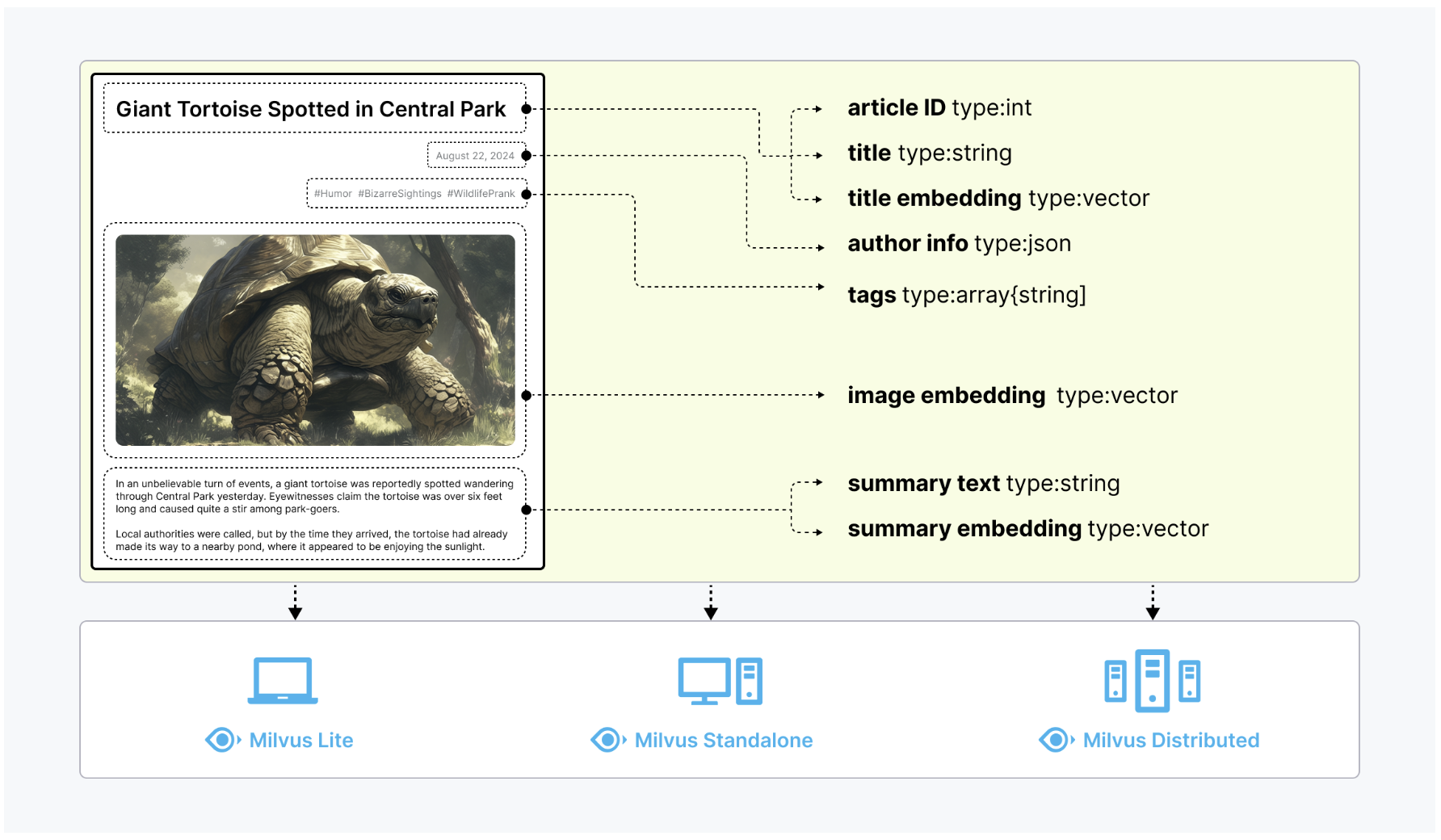
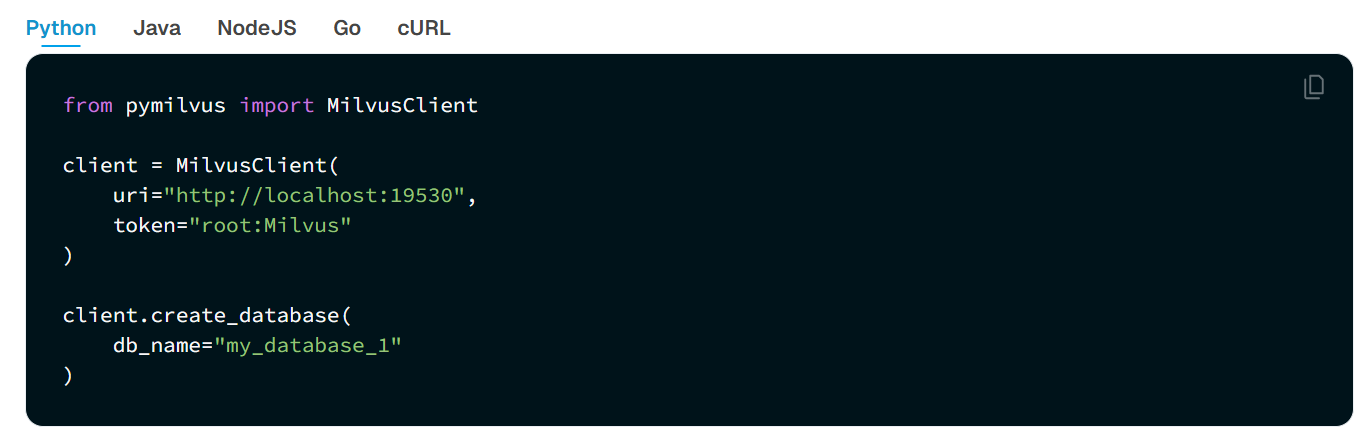
在 Milvus 中,数据库是组织和管理数据的逻辑单元。为了提高数据安全性并实现多租户,你可以创建多个数据库,为不同的应用程序或租户从逻辑上隔离数据。例如,创建一个数据库用于存储用户 A 的数据,另一个数据库用于存储用户 B 的数据。它支持Python、Go、Java、NodeJS等语言去操作数据库。
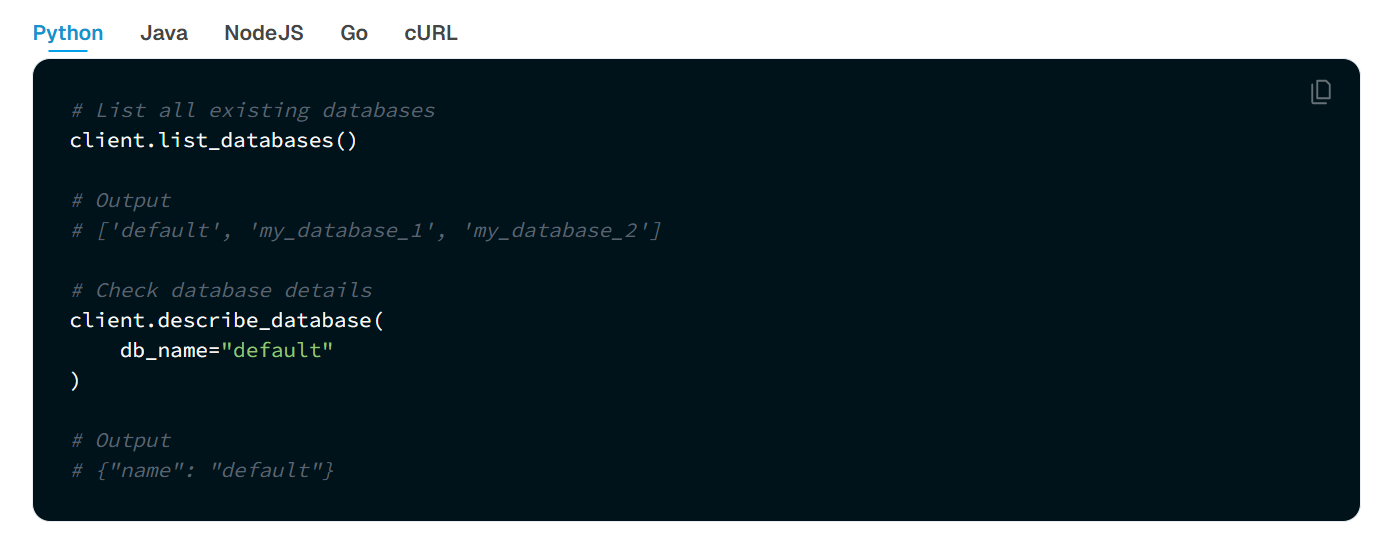
可以使用 Milvus RESTful API 或 SDK 列出所有现有数据库并查看其详细信息。同时,还可以管理数据库的属性,包括更改、删除等操作。
# 从 pymilvus.model.reranker 模块中引入 BGE 重排序模型函数
from pymilvus.model.reranker import BGERerankFunction

# ----------------------------------------------------------
# 初始化 Reranker(重排序器):
# 使用 BAAI(智源研究院)提供的 BGE-Reranker-v2-M3 模型。
# 该模型基于 Cross-Encoder 架构,通过对 query 和文档对进行语义交互建模,
# 输出相关性打分,用于对初始检索结果进行排序提升精度。
# ----------------------------------------------------------
bge_rf = BGERerankFunction(
    model_name="BAAI/bge-reranker-v2-m3",  # 模型名称,默认即为该模型
    device="cpu"  # 计算设备,可改为 'cuda:0' 使用 GPU 加速
)

# ----------------------------------------------------------
# 定义一个查询(query),用于检索历史相关信息。
# ----------------------------------------------------------
query = "What event in 1956 marked the official birth of artificial intelligence as a discipline?"

# ----------------------------------------------------------
# 定义候选文档列表(documents):
# 模拟从 Milvus 检索返回的初步候选文本片段(Top-K),
# 接下来将使用 Reranker 进一步对它们进行精排。
# 文档集合里面有四个元素,从0到3编号。
# ----------------------------------------------------------
documents = [
    "In 1950, Alan Turing published his seminal paper, 'Computing Machinery and Intelligence,' proposing the Turing Test as a criterion of intelligence, a foundational concept in the philosophy and development of artificial intelligence.",
    "The Dartmouth Conference in 1956 is considered the birthplace of artificial intelligence as a field; here, John McCarthy and others coined the term 'artificial intelligence' and laid out its basic goals.",
    "In 1951, British mathematician and computer scientist Alan Turing also developed the first program designed to play chess, demonstrating an early example of AI in game strategy.",
    "The invention of the Logic Theorist by Allen Newell, Herbert A. Simon, and Cliff Shaw in 1955 marked the creation of the first true AI program, which was capable of solving logic problems, akin to proving mathematical theorems."
]

# ----------------------------------------------------------
# 执行重排序操作:
# 将 query 与每个文档组合进行相关性评分,输出按分值降序排列的 Top-K 文档。
# top_k 参数指定只保留得分最高的前 K 条(这里设为 3)。
# 返回结果为一个包含 RerankResult 对象的列表,每个对象包含:
# - index:原文档在输入列表中的索引位置
# - score:query 与该文档的语义相关性打分(越高越相关)
# - text:文档原文内容
# ----------------------------------------------------------
results = bge_rf(
    query=query,
    documents=documents,
    top_k=3,  # 返回得分最高的前 3 条
)

# ----------------------------------------------------------
# 遍历输出精排结果:
# 展示每条候选文档的原始索引、得分(保留 6 位小数)、文本内容。
# 注意结果已按 score 排序,score 越高代表与 query 越匹配。
# ----------------------------------------------------------
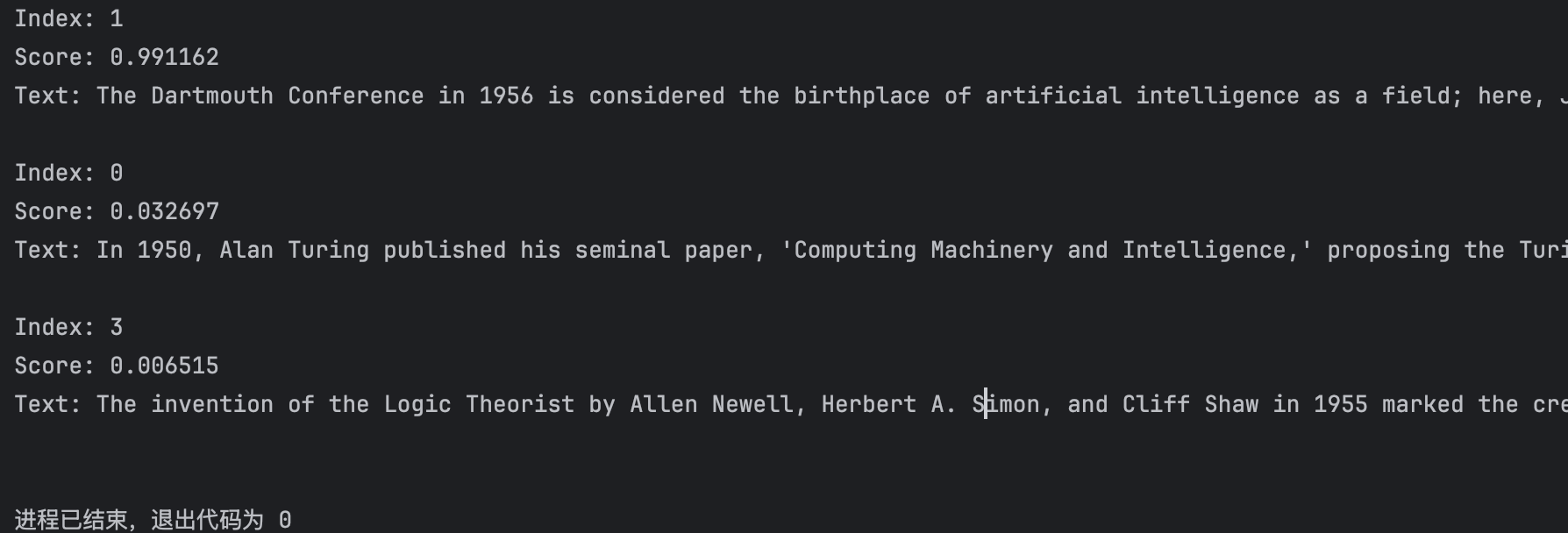
for result in results:
    print(f"Index: {result.index}")  # 文本在原始 documents 中的位置
    print(f"Score: {result.score:.6f}")  # 重排序得分
    print(f"Text: {result.text}\n")  # 文本内容
from sentence_transformers import CrossEncoder

model = CrossEncoder('cross-encoder/ms-marco-MiniLM-L6-v2')
scores = model.predict([
    ("How many people live in Berlin?", "Berlin had a population of 3,520,031 registered inhabitants in an area of 891.82 square kilometers."),
    ("How many people live in Berlin?", "Berlin is well known for its museums."),
])
print(scores)

# [ 8.607141 -4.320079]
from transformers import AutoTokenizer, AutoModelForSequenceClassification
import torch
from sentence_transformers import CrossEncoder

# 方法一:
model = CrossEncoder('cross-encoder/ms-marco-MiniLM-L12-v2')
scores = model.predict([
    ("How many people live in Berlin?", "Berlin had a population of 3,520,031 registered inhabitants in an area of 891.82 square kilometers."),
    ("How many people live in Berlin?", "Berlin is well known for its museums."),
])
print(scores)

# 方法二:
model = AutoModelForSequenceClassification.from_pretrained('cross-encoder/ms-marco-MiniLM-L12-v2')
tokenizer = AutoTokenizer.from_pretrained('cross-encoder/ms-marco-MiniLM-L12-v2')

features = tokenizer(['How many people live in Berlin?', 'How many people live in Berlin?'], ['Berlin had a population of 3,520,031 registered inhabitants in an area of 891.82 square kilometers.', 'Berlin is well known for its museums.'],  padding=True, truncation=True, return_tensors="pt")

model.eval()
with torch.no_grad():
    scores = model(**features).logits
    print(scores)
如果要进行重排序的话,可以参考下面的文档:
# 从 pymilvus.model.reranker 模块中导入交叉编码器重排序函数
from pymilvus.model.reranker import CrossEncoderRerankFunction

# ✅ 步骤 1:定义交叉编码器(Cross Encoder)重排序函数
# 该函数内部会自动下载 Hugging Face 上的模型并用于 rerank
ce_rf = CrossEncoderRerankFunction(
    model_name="cross-encoder/ms-marco-MiniLM-L12-v2",  # 使用指定的 cross-encoder 模型(支持语义匹配任务)
    device="cpu"  # 指定模型运行设备,如 'cpu' 或 'cuda:0'(GPU)
)

# ✅ 步骤 2:定义用户查询(Query)
query = "What event in 1956 marked the official birth of artificial intelligence as a discipline?"
# 中文翻译:1956年哪一事件标志着人工智能作为一门学科的正式诞生?

# ✅ 步骤 3:准备待重排序的候选文档(Documents)
# 每个字符串都是一个候选答案,Cross Encoder 会将它们与 Query 组合成一个个句对进行评分
documents = [
    "In 1950, Alan Turing published his seminal paper, 'Computing Machinery and Intelligence,' proposing the Turing Test as a criterion of intelligence, a foundational concept in the philosophy and development of artificial intelligence.",
    # 图灵1950年的论文,提出图灵测试,为AI发展奠定哲学基础

    "The Dartmouth Conference in 1956 is considered the birthplace of artificial intelligence as a field; here, John McCarthy and others coined the term 'artificial intelligence' and laid out its basic goals.",
    # 1956年达特茅斯会议,被广泛认为是AI的诞生标志

    "In 1951, British mathematician and computer scientist Alan Turing also developed the first program designed to play chess, demonstrating an early example of AI in game strategy.",
    # 图灵在1951年开发了下棋程序,展示早期AI在博弈中的应用

    "The invention of the Logic Theorist by Allen Newell, Herbert A. Simon, and Cliff Shaw in 1955 marked the creation of the first true AI program, which was capable of solving logic problems, akin to proving mathematical theorems."
    # 1955年“逻辑理论家”程序是首个能解逻辑问题的AI程序
]

# ✅ 步骤 4:调用重排序函数进行语义匹配排序(Reranking)
# Cross Encoder 会对 (query, document) 成对输入进行语义评分,返回得分最高的 top_k 条
results = ce_rf(
    query=query,
    documents=documents,
    top_k=3,  # 返回得分最高的前 3 个文档
)

# ✅ 步骤 5:遍历结果,输出每条结果的索引、分数、文本内容
# Cross Encoder 输出的是基于语义匹配的相关性打分,越高越相关
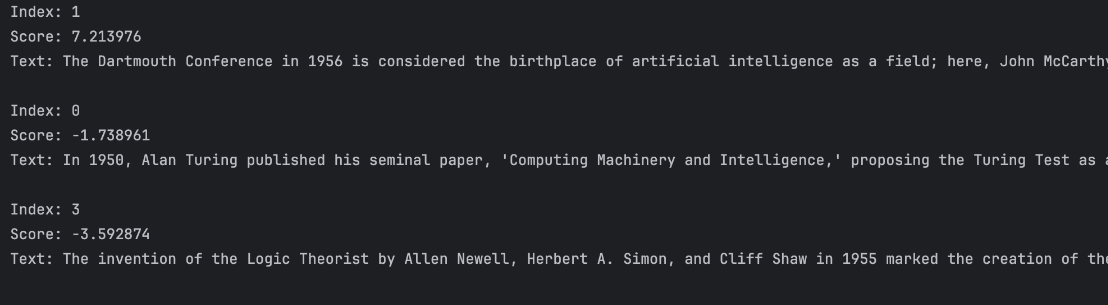
for result in results:
    print(f"Index: {result.index}")       # 文档在原始列表中的索引
    print(f"Score: {result.score:.6f}")   # Cross Encoder 计算出的相关性得分
    print(f"Text: {result.text}\n")       # 对应的文档内容
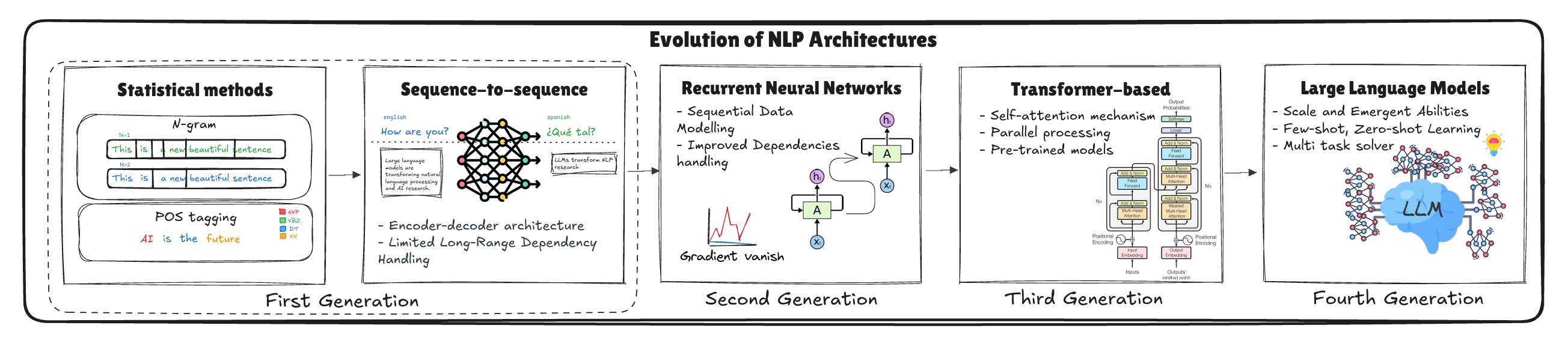
大模型(Large Language Models,LLMs)的发展经历了从小规模模型到如今大规模、深度学习技术不断突破的过程。最早的语言模型主要依赖规则和手工特征,虽然能够进行一定的语言理解和生成,但缺乏足够的灵活性和准确性。随着深度学习的兴起,尤其是深度神经网络的应用,大规模语言模型开始崭露头角。
从最初的GPT(Generative Pre-trained Transformer)到BERT(Bidirectional Encoder Representations from Transformers)再到如今的GPT-4、DeepSeek-R1等,语言模型的规模和能力迅速提升。大模型通常包含数十亿到数百亿个参数,通过海量数据进行预训练,能够捕捉到语言中的复杂关系和语境信息。大模型的预训练使其具备了强大的迁移学习能力,能够在多个任务上取得优秀的性能,无论是文本生成、问答、翻译还是推理任务。大模型的发展不仅在技术层面突破了许多原有的限制,还在应用上带来了巨大的变革。比如,基于大模型的自然语言处理技术已经广泛应用于智能助手、自动翻译、内容生成等领域,极大地提高了人机交互的效率和质量。从自然语言处理的发展历程来看,LLM已经是近期最热门的研究方向之一。
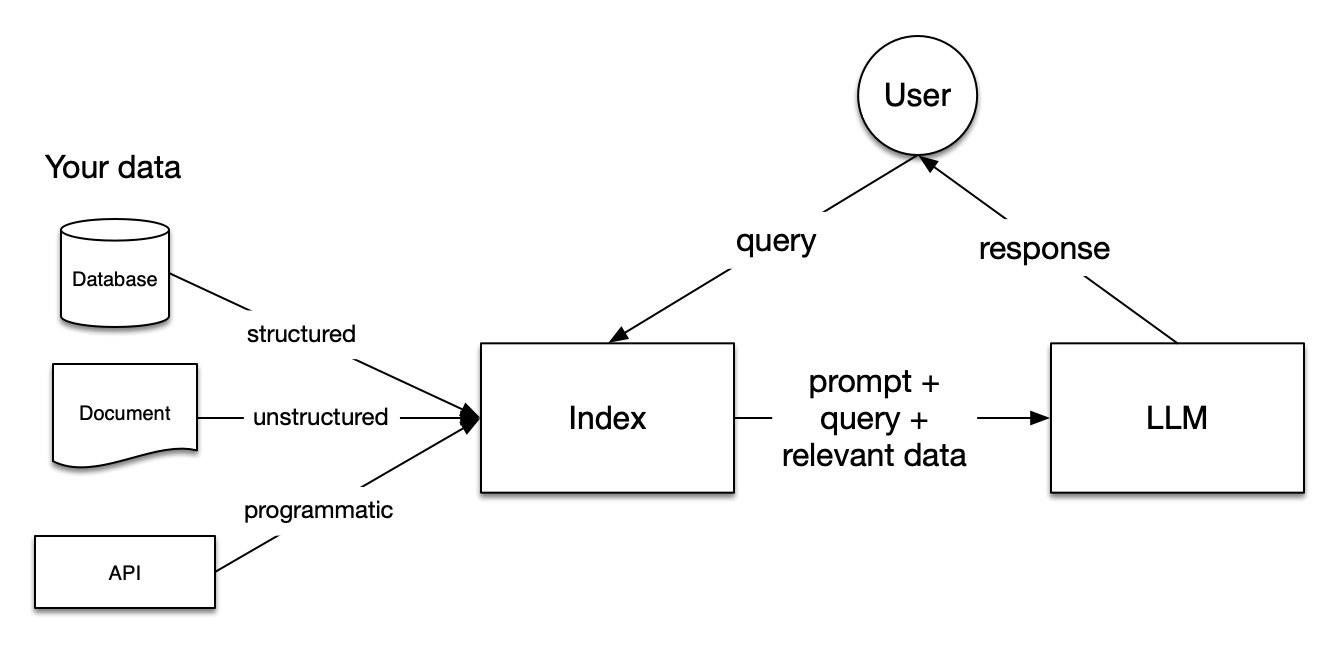
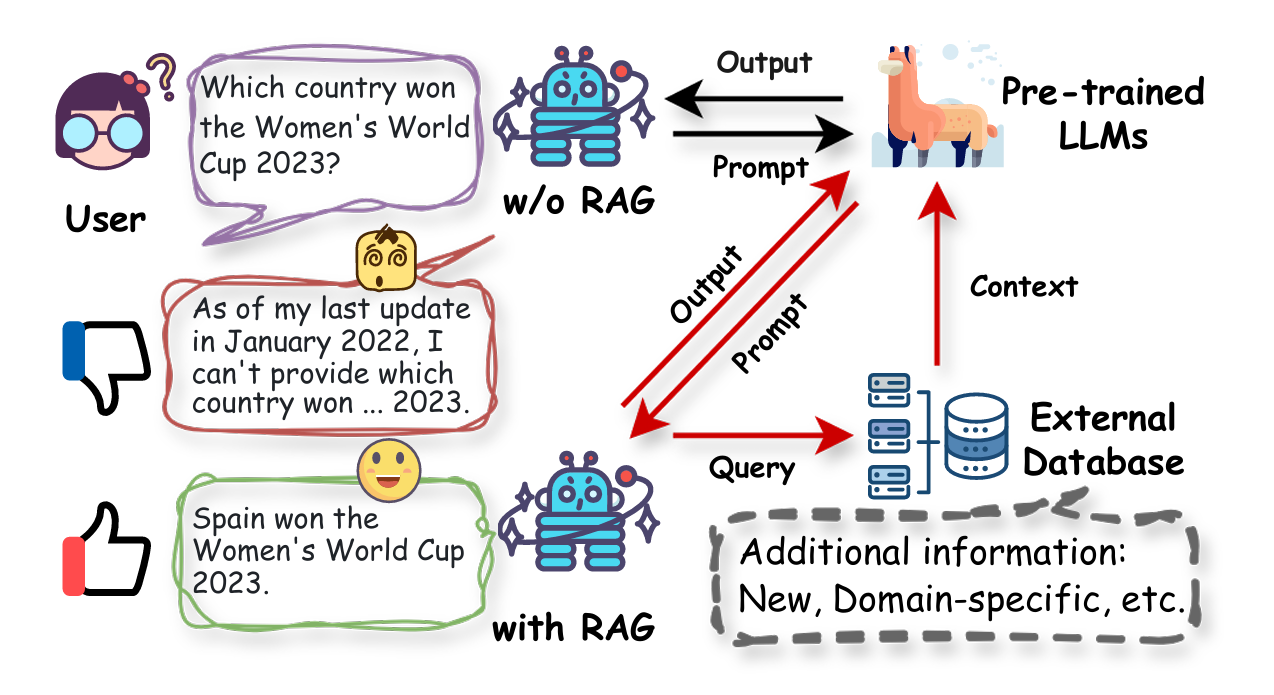
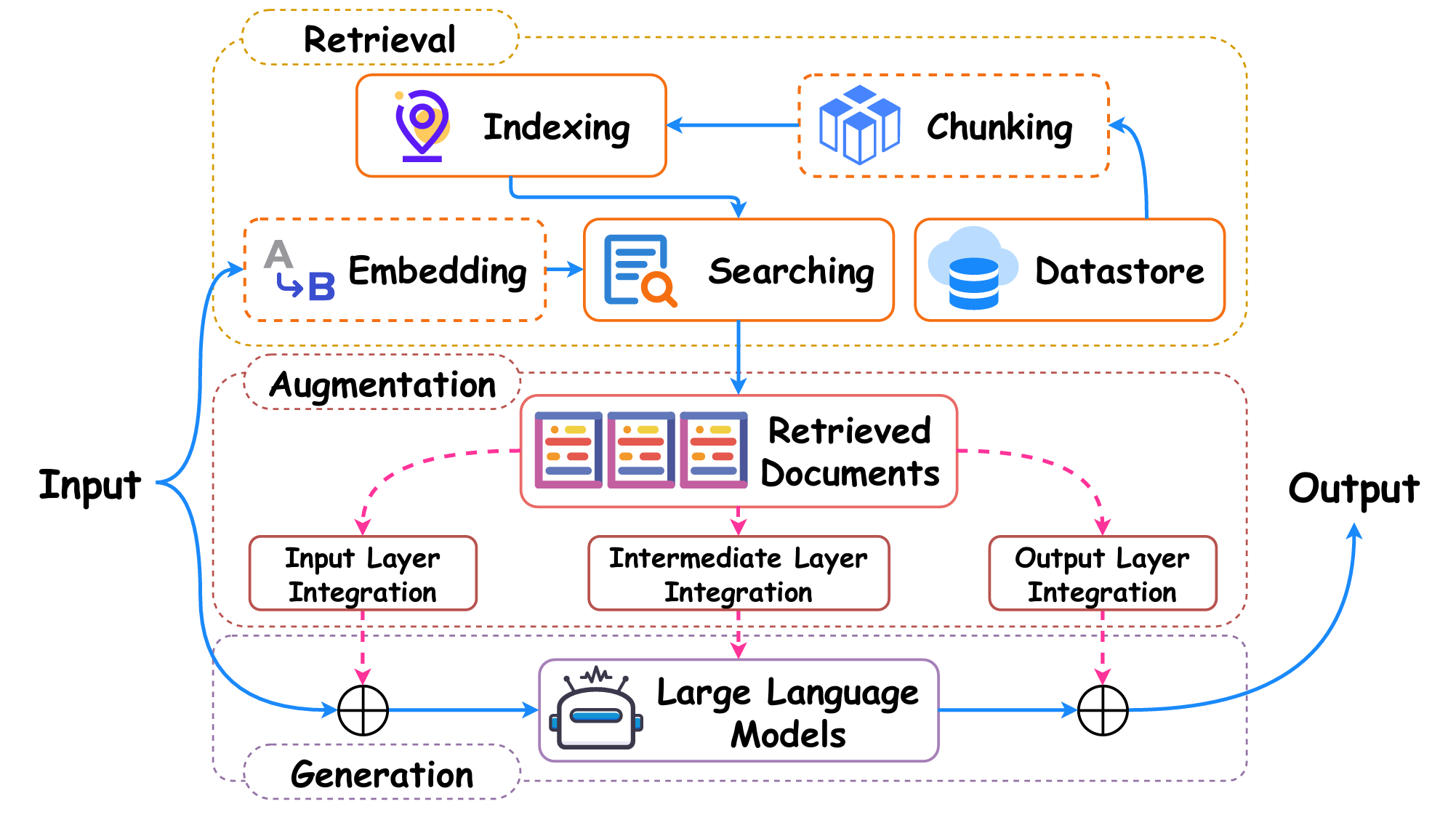
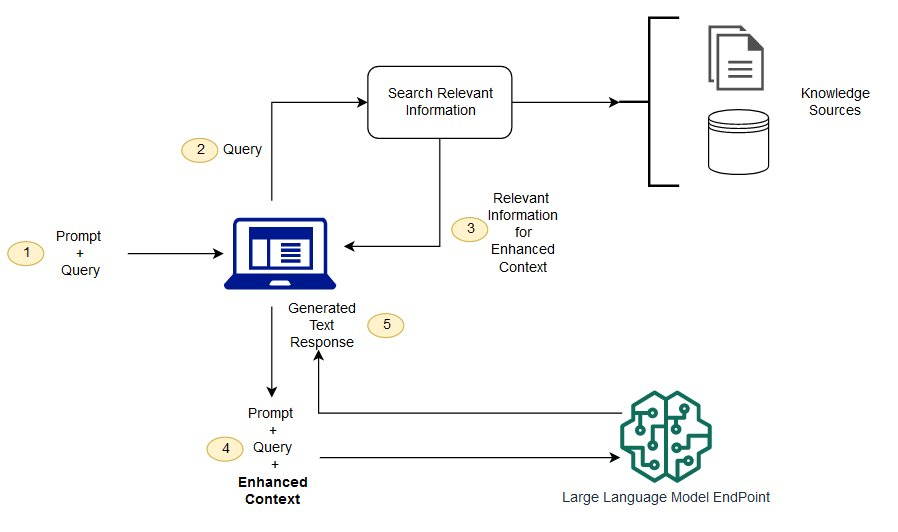
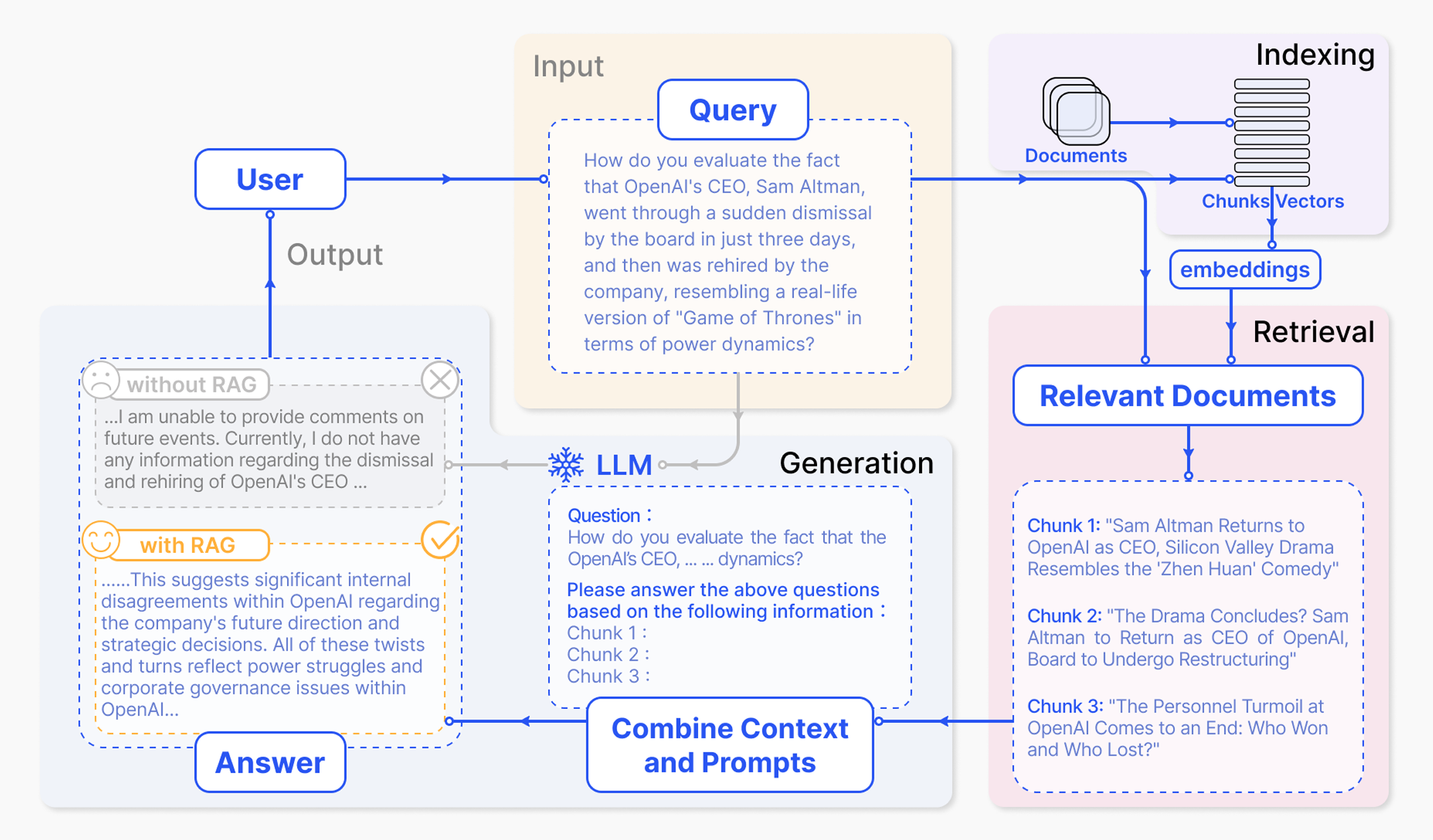
LLM 原始训练数据集之外的新数据称为外部数据。它可以来自多个数据来源,例如 API、数据库或文档存储库。数据可能以各种格式存在,例如文件、数据库记录或长篇文本。另一种称为嵌入语言模型的 AI 技术将数据转换为数字表示形式并将其存储在向量数据库中。这个过程会创建一个生成式人工智能模型可以理解的知识库。
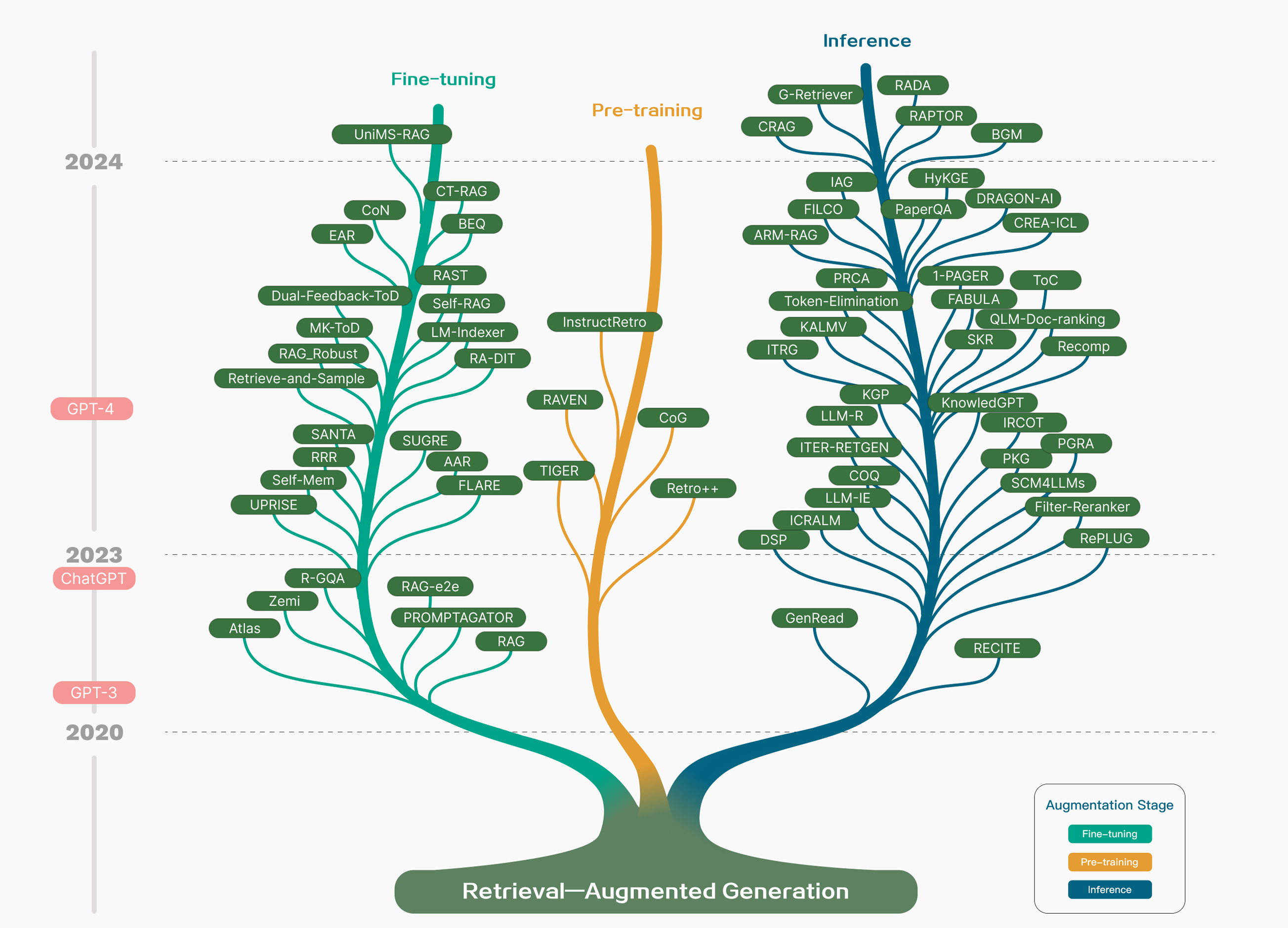
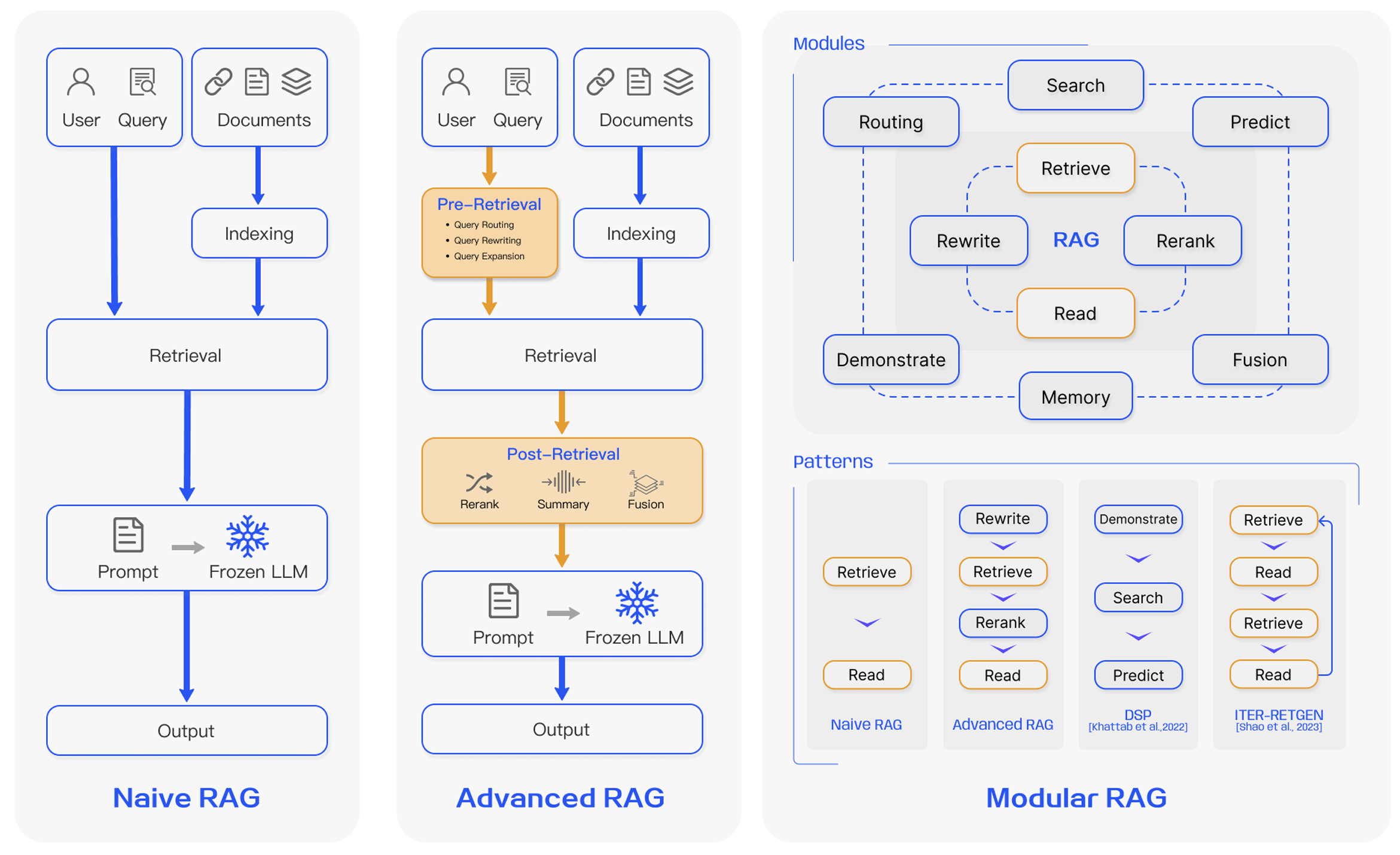
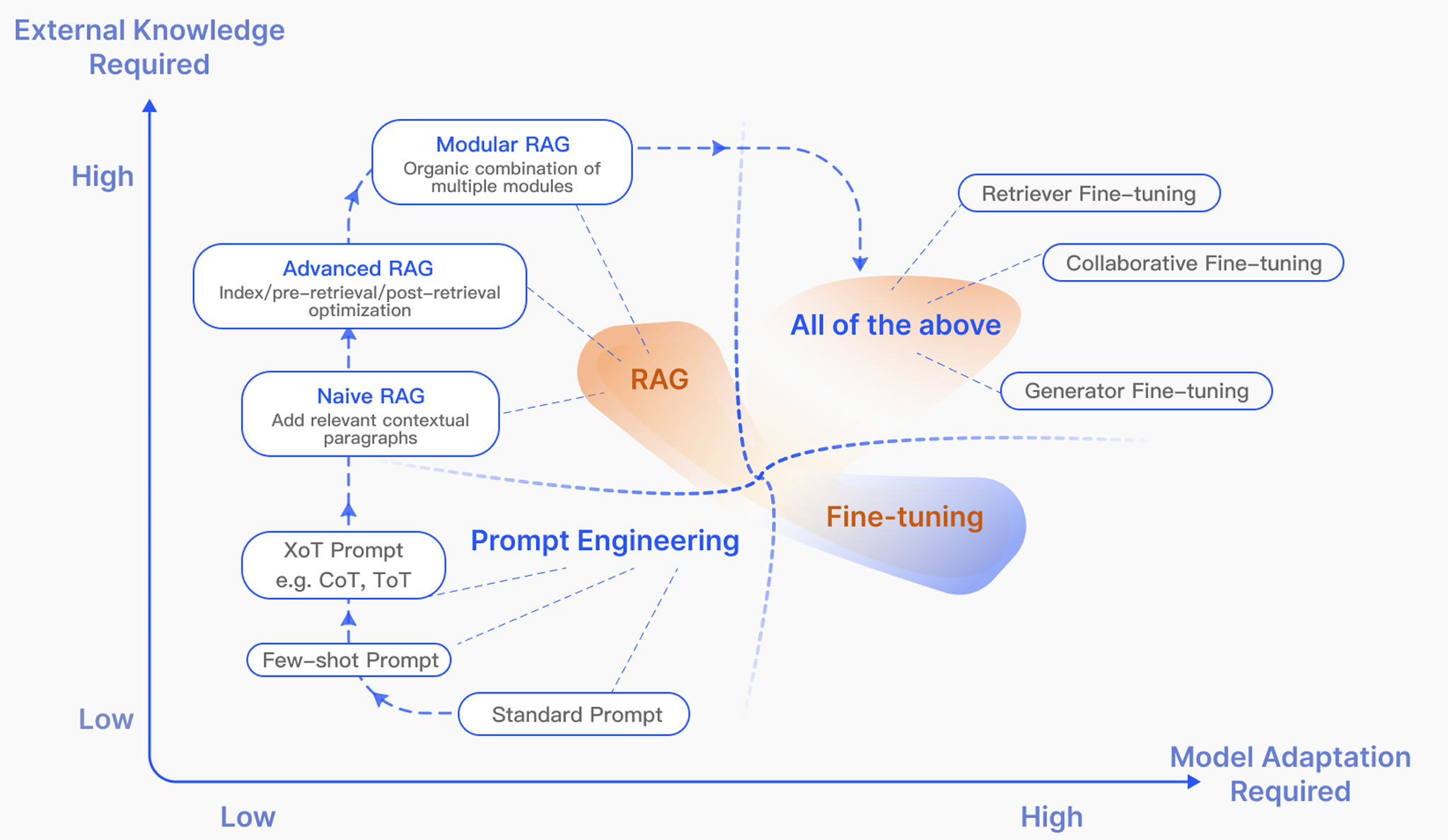
Gao Y, Xiong Y, Gao X, et al. Retrieval-augmented generation for large language models: A survey[J]. arXiv preprint arXiv:2312.10997, 2023, 2.
Gao Y, Xiong Y, Zhong Y, et al. Synergizing RAG and Reasoning: A Systematic Review[J]. arXiv preprint arXiv:2504.15909, 2025.
Li X, Jia P, Xu D, et al. A Survey of Personalization: From RAG to Agent[J]. arXiv preprint arXiv:2504.10147, 2025.
Arslan M, Ghanem H, Munawar S, et al. A Survey on RAG with LLMs[J]. Procedia Computer Science, 2024, 246: 3781-3790.
Fan, Wenqi, et al. “A survey on rag meeting llms: Towards retrieval-augmented large language models.” Proceedings of the 30th ACM SIGKDD Conference on Knowledge Discovery and Data Mining. 2024.
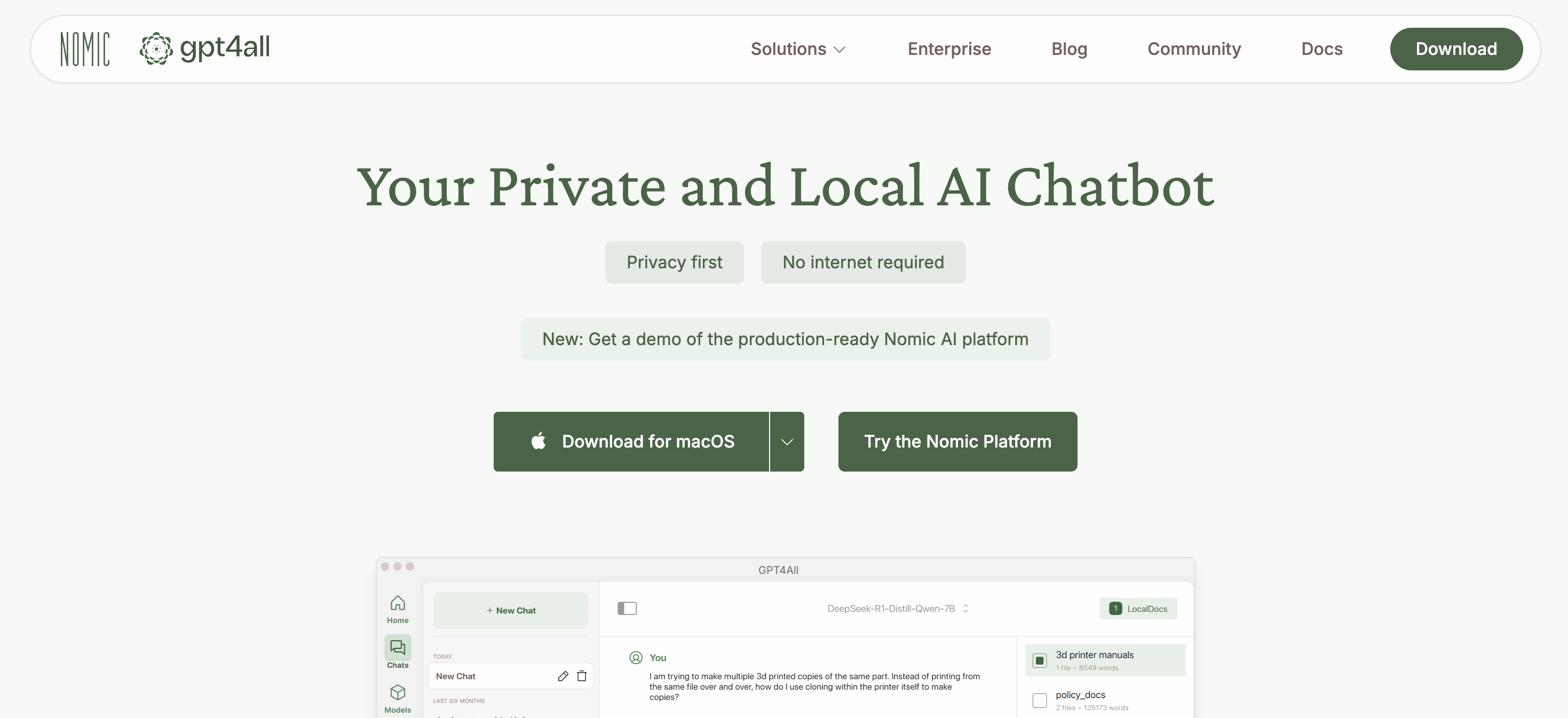
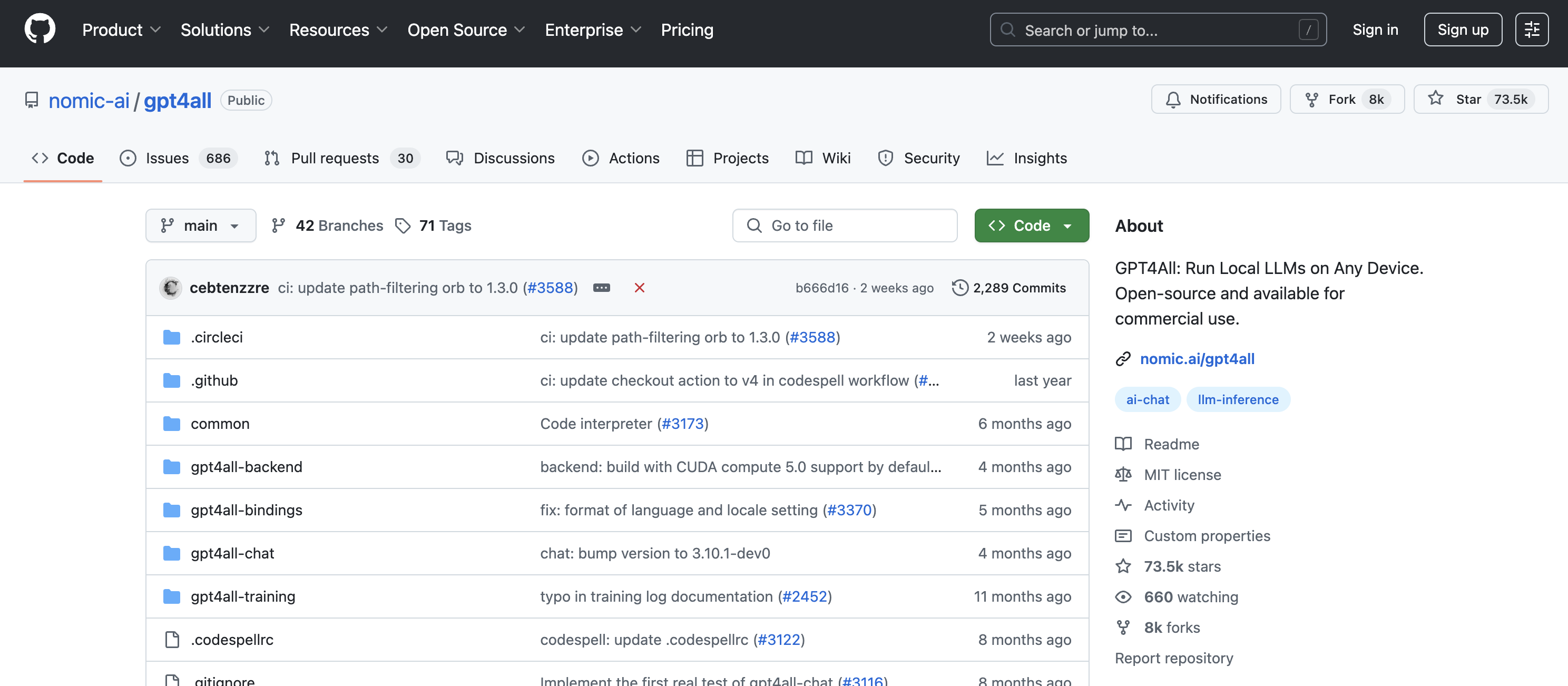
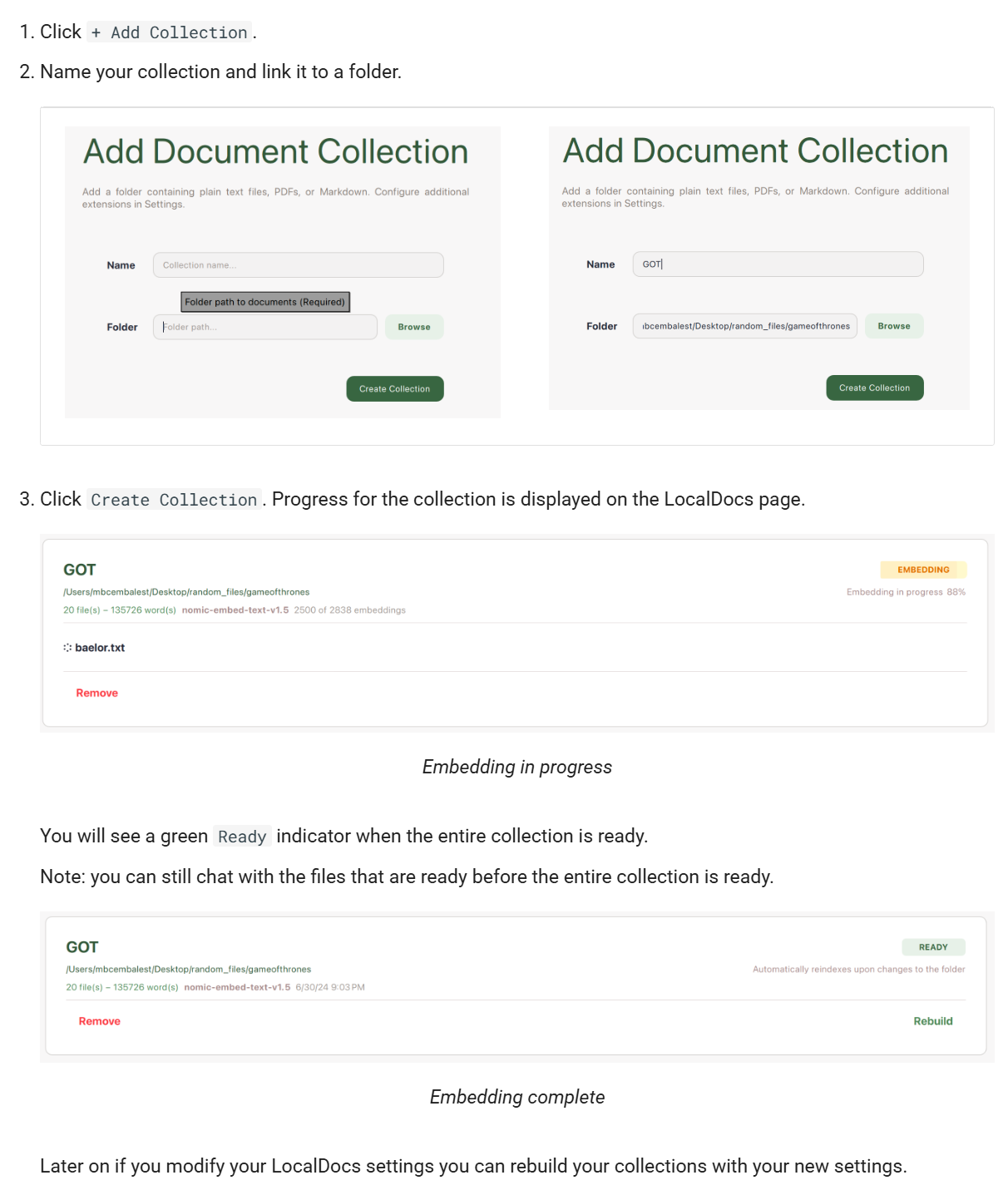
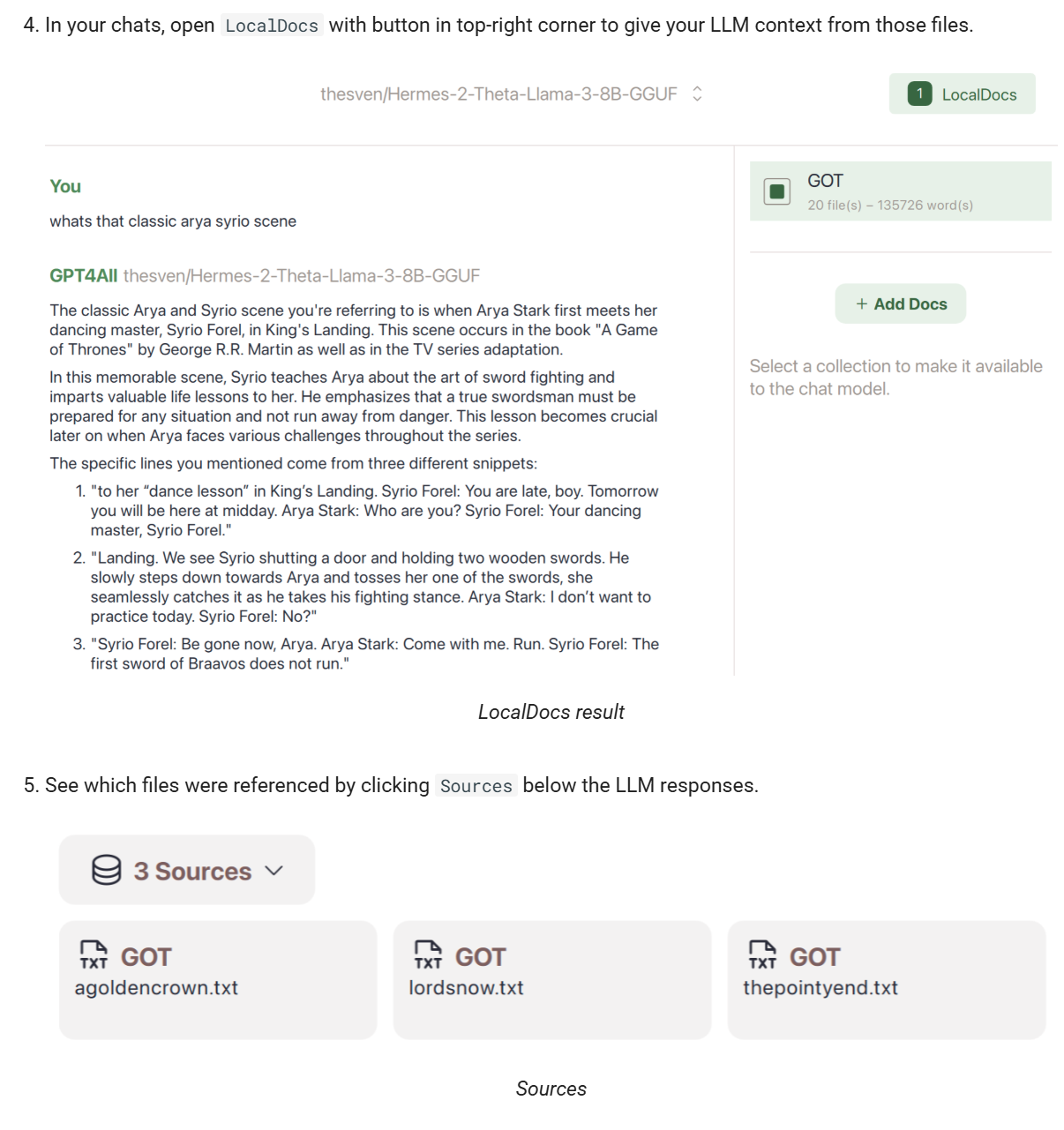
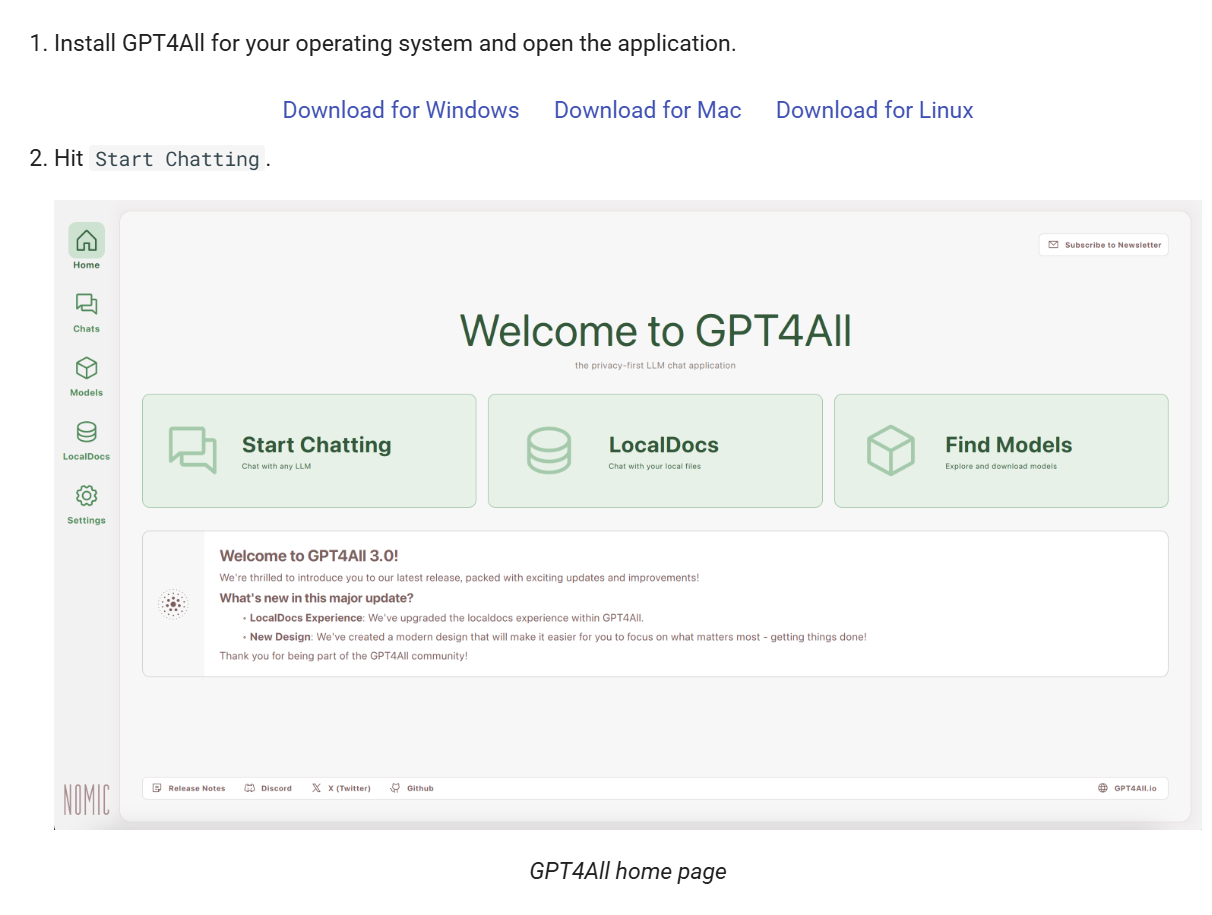
GPT4All 提供 LocalDocs 功能,允许用户将本地文档(如 PDF、TXT、Markdown 等)导入系统,与 AI 进行交互。 这对于处理敏感或私密信息非常有用。
3. 快速上手指南
3.1 下载并安装软件
访问下载适用于您操作系统(Windows、Mac、Linux)的安装包。
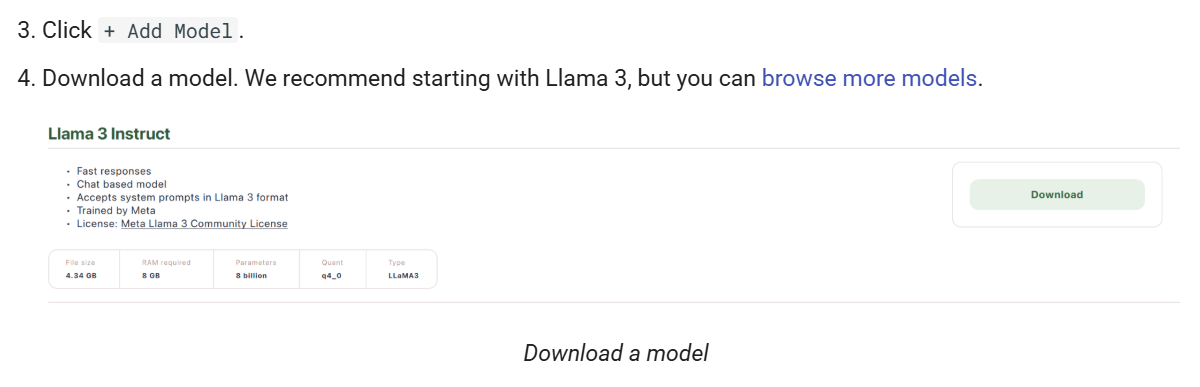
3.2 添加模型
启动应用程序后,点击“+ Add Model”按钮,选择并下载您需要的模型。
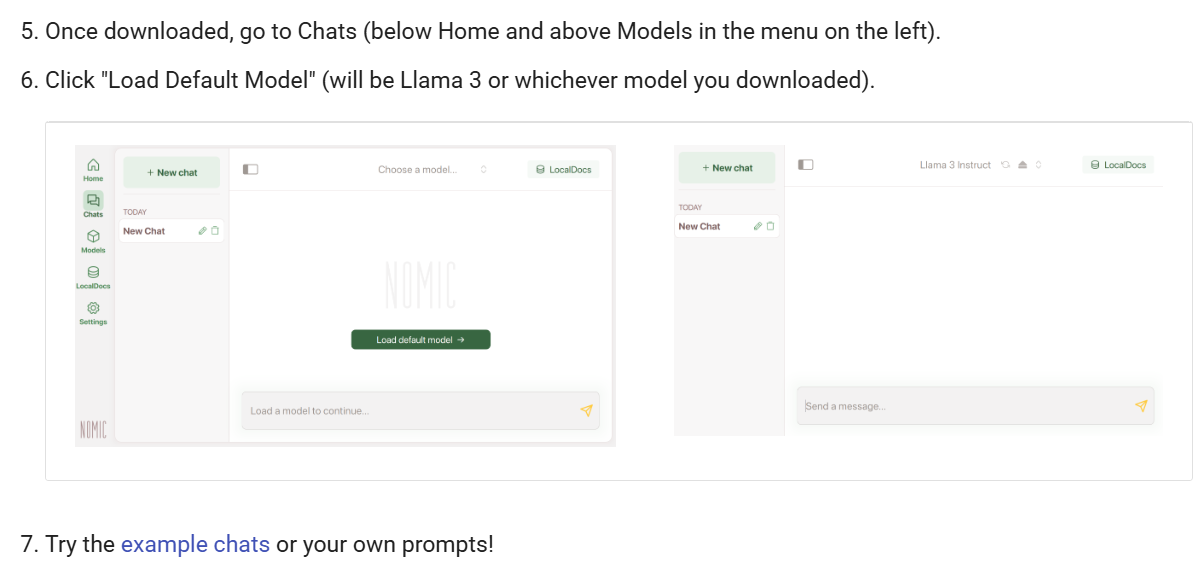
3.3 开始聊天
下载模型后,进入“Chats”界面,选择已加载的模型,开始与 AI 进行对话。并且还提供上传本地文件资料的功能,实现知识库的搜索。
3.4 使用Python的SDK
3.4.1 大语言模型
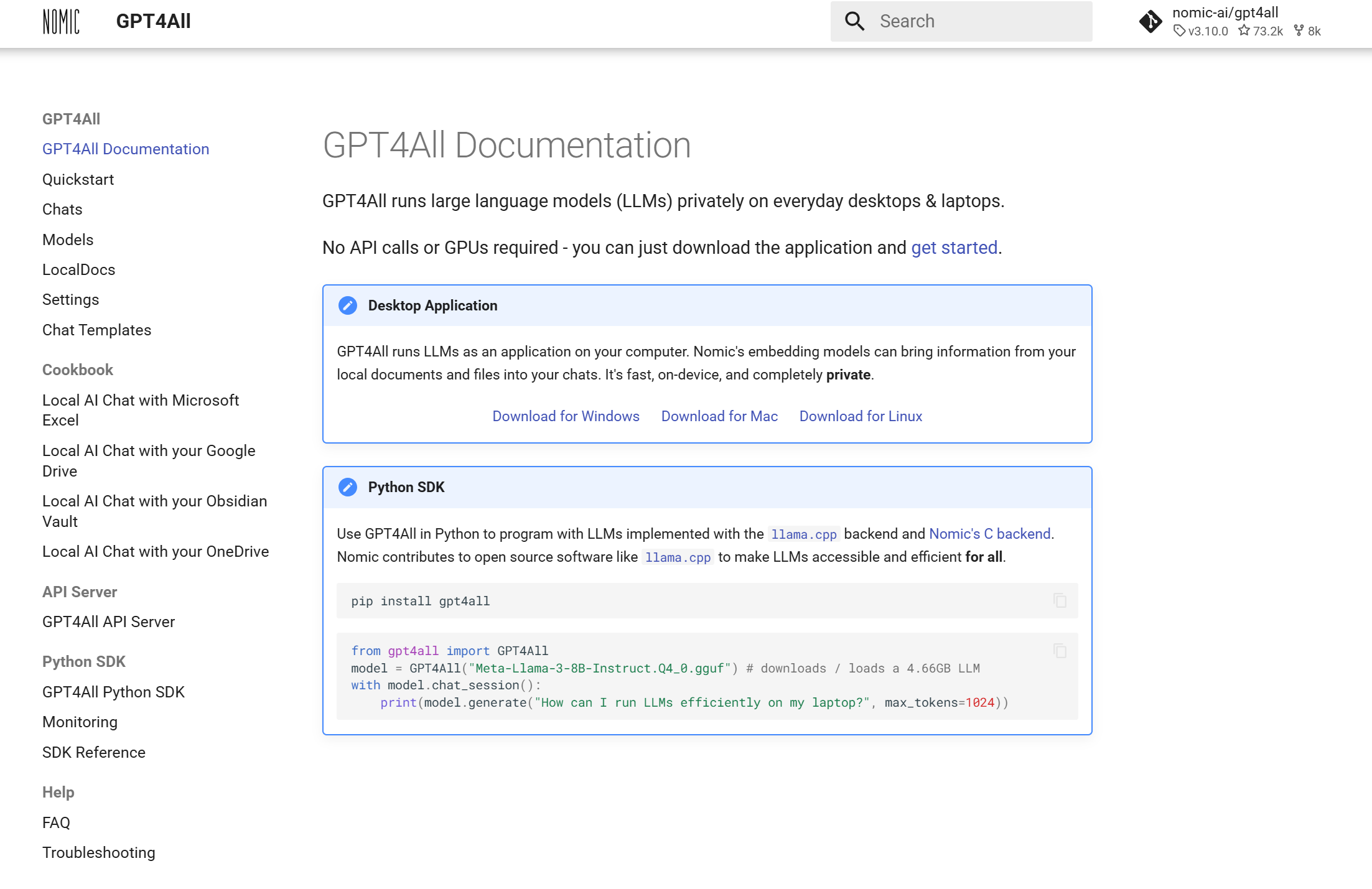
GPT4All 提供了 Python SDK,方便开发者将其集成到自己的项目中。 此外,项目采用 MIT 开源许可证,允许用户进行自定义和二次开发。
安装方法:
pip install gpt4all
使用方法:
可以按照官方提供的模板进行使用,如果模型没有提前下载的话,在第一次使用的时候,代码会自动下载模型。
from gpt4all import GPT4All
model = GPT4All("Meta-Llama-3-8B-Instruct.Q4_0.gguf") # downloads / loads a 4.66GB LLM
with model.chat_session():
    print(model.generate("How can I run LLMs efficiently on my laptop?", max_tokens=1024))
如果想要进行流式输出或者一次性输出,可以使用streaming这个参数进行控制,参考代码:
from gpt4all import GPT4All

def output_with_stream_control(prompt: str, model_name: str = "Meta-Llama-3-8B-Instruct.Q4_0.gguf", max_tokens: int = 1024, streaming: bool = False):
    model = GPT4All(model_name)  # 加载指定模型

    # 创建一个对话会话
    with model.chat_session() as session:
        response_buffer = ""

        if streaming:
            # 启用流式输出
            for chunk in model.generate(prompt, max_tokens=max_tokens, streaming=streaming):
                response_buffer += chunk
                print(chunk, end='', flush=True)  # 实时输出生成的文本
            print("\n\n生成的完整答案:", response_buffer)
        else:
            # 批量输出(等待完整生成后返回)
            response_buffer = model.generate(prompt, max_tokens=max_tokens, streaming=streaming)
            print("\n生成的完整答案:", response_buffer)

        return response_buffer

if __name__ == "__main__":
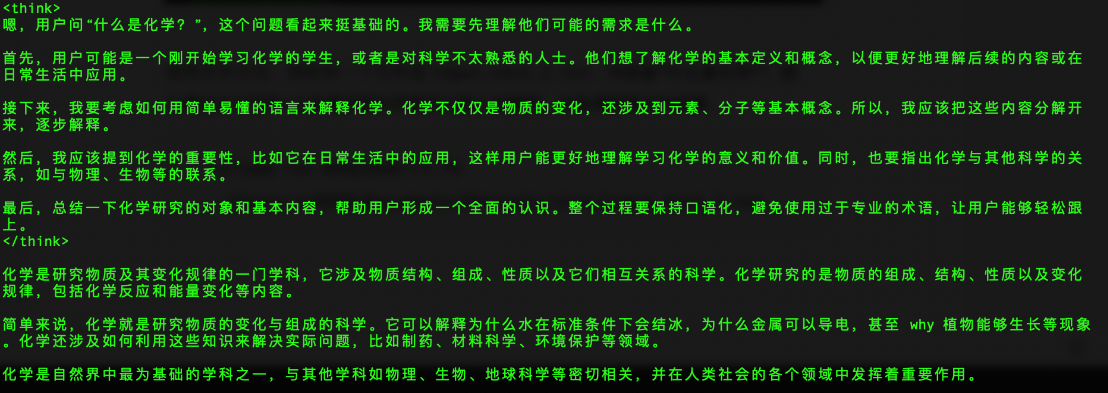
    prompt = "用中文回答,什么是化学?"
    result = output_with_stream_control(prompt, streaming=False)
    print('result:', result)
class Calculator:
    """This class performs basic arithmetic operations."""
    pass
函数和方法:为每个函数和方法提供文档字符串,描述其作用、参数和返回值。
def add(a, b):
    """
    Add two numbers and return the result.

    Parameters:
    a (int or float): The first number.
    b (int or float): The second number.

    Returns:
    int or float: The sum of a and b.
    """
    return a + b
独角戏固然精彩,然而软件系统的产品设计、开发、运维、迭代,从来都不是一人秀。曾有一位开发者与少数几位小伙伴默契配合,用心构建起一整套系统。从需求调研、架构设计到功能落地,最后实现了项目的交付,每一次的迭代、每一天的开发都倾注了他们的心血与智慧。在那段日子,代码仓库里留下了他们无数次提交的痕迹,客户端、数据库、服务端与 web 前端紧密协作,多种存储与数据库组件共同支撑业务平稳运行——这是一曲动人的合奏。
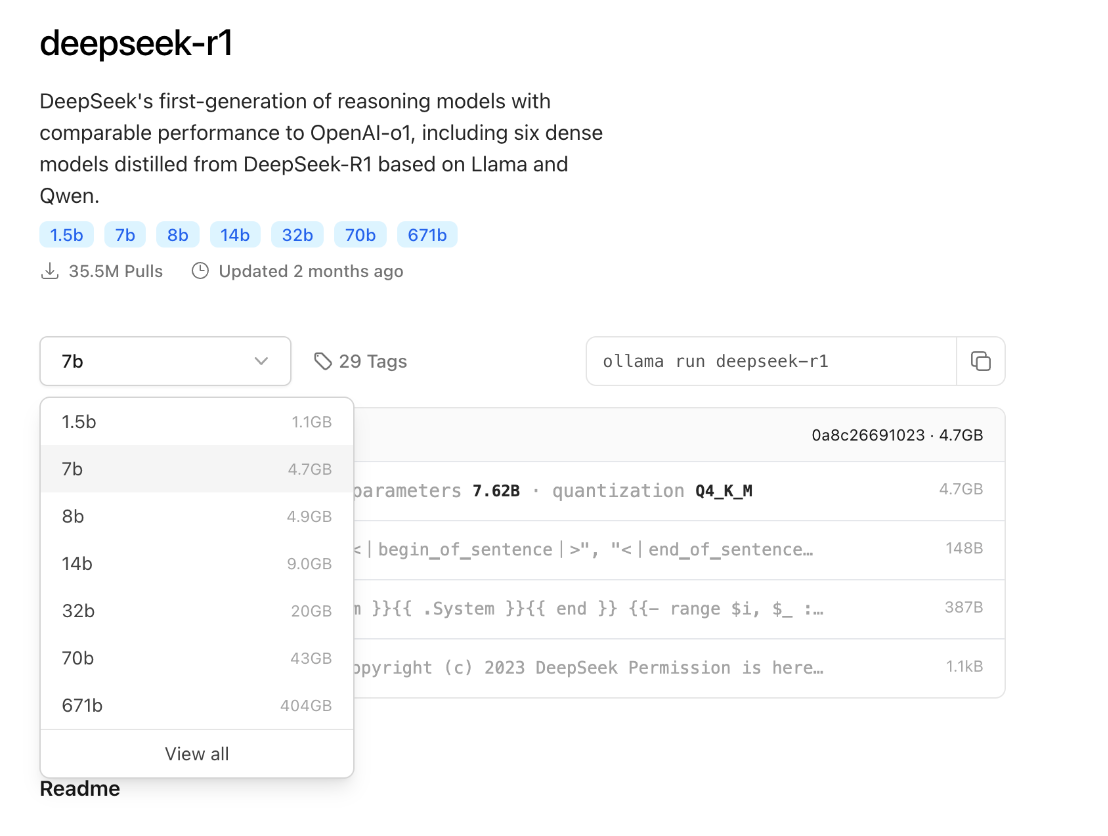
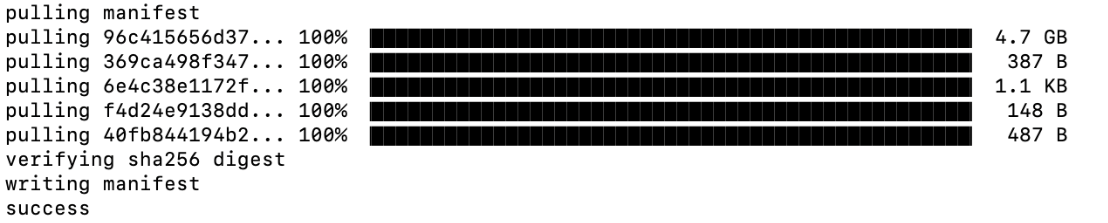
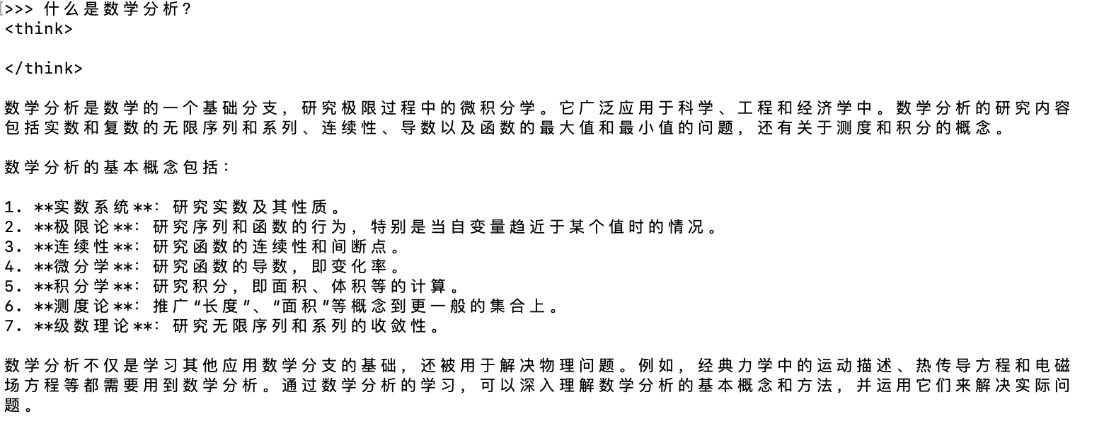
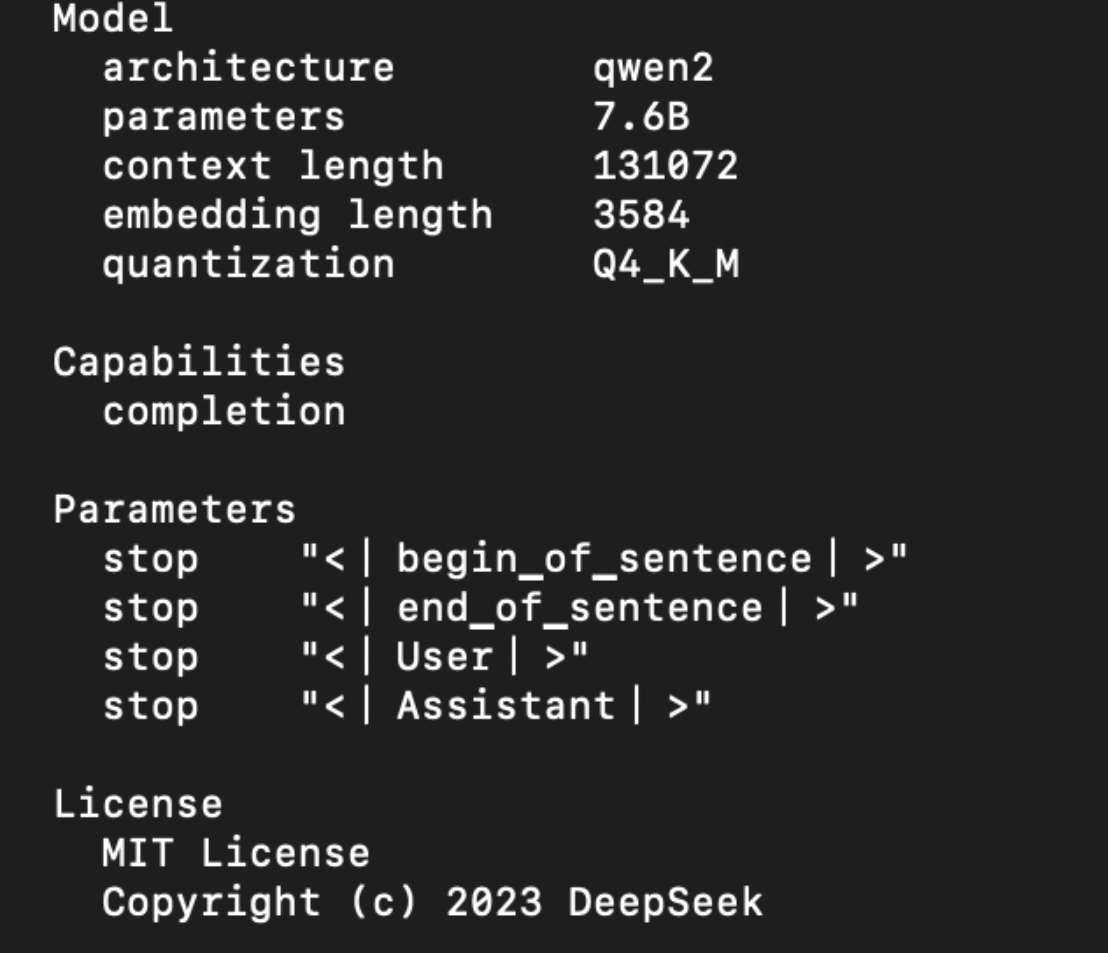
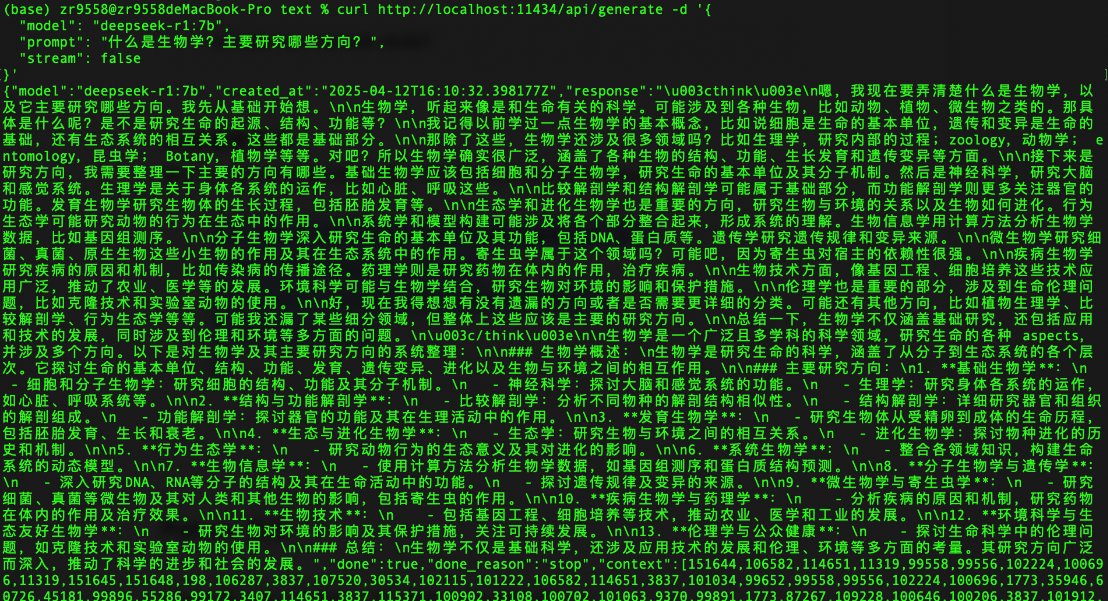
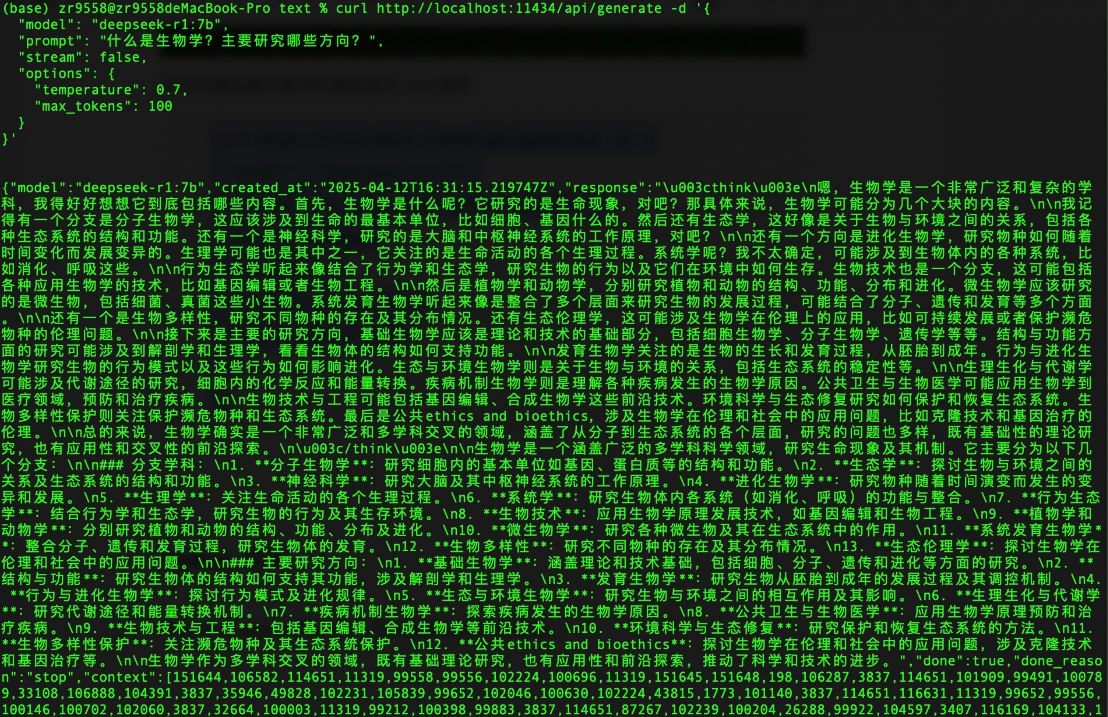
DeepSeek-r1会有不同的模型参数和大小,最少的模型参数是1.5b,最大的模型参数是671b。这些可以在Ollama的官网上找到,并且可以基于本地电脑的配置下载到本地电脑进行运行。在运行模型的时候,请注意mac的内存情况,以及参考Ollama官方提供的建议:You should have at least 8 GB of RAM available to run the 7B models, 16 GB to run the 13B models, and 32 GB to run the 33B models.
import ollama

print(ollama.embed(model='deepseek-r1:32b', input='The sky is blue because of rayleigh scattering'))

print(ollama.embed(model='deepseek-r1:32b', input='The sky is blue because of rayleigh scattering').embeddings)
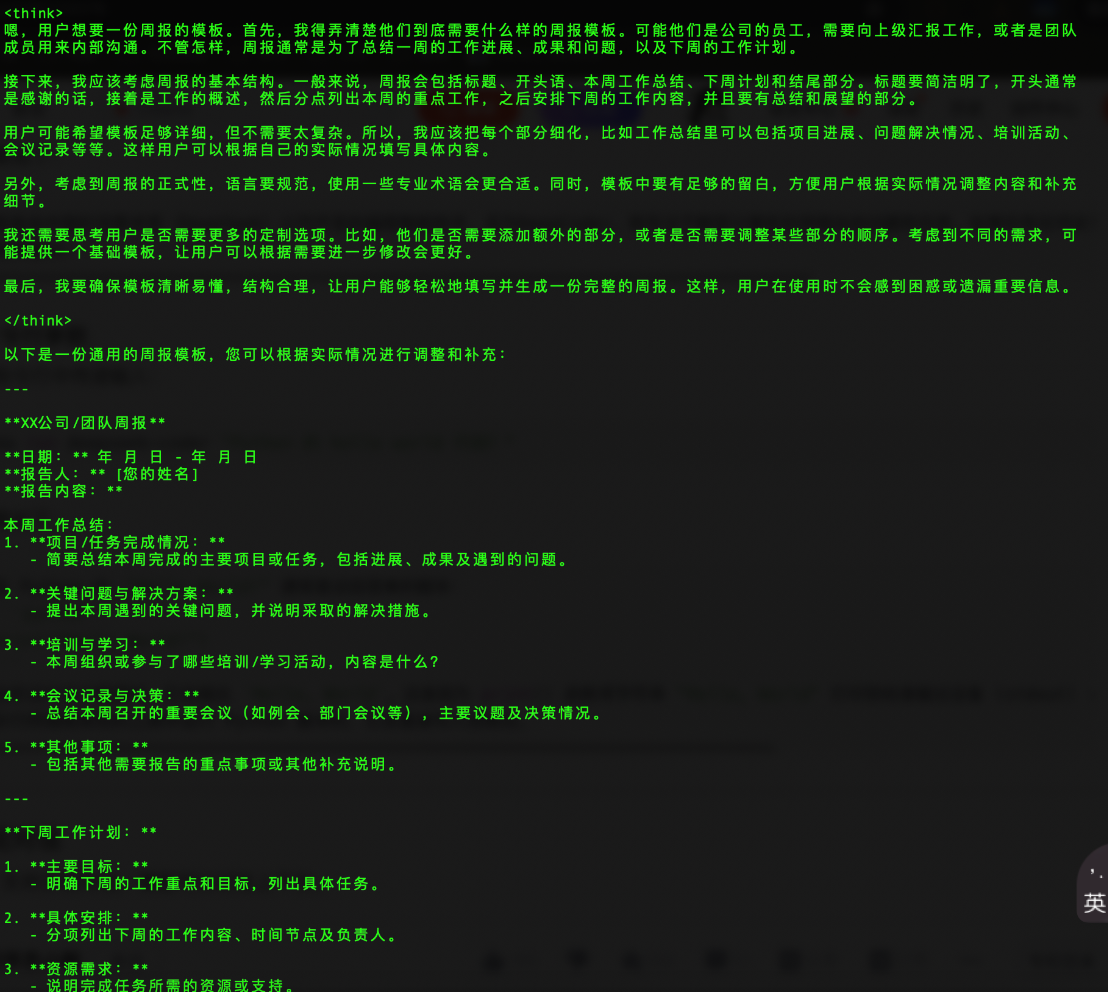
在深夜的办公室里,小 A 揉了揉发酸的眼睛,屏幕上的 PPT 标题《XXX 技术赋能业务增长》在黑暗中格外刺眼。这已是她今年的第 N 个周末被强制要求参加团队的技术分享,而就在昨天,领导刚驳回了她在工作日组织培训的申请,理由是:“你有这时间不如多改两个 BUG。”她想起上周分享到工作群里的公司培训链接,被领导当众批评“小 A 的工作不饱和,工作量不够大。”,也想到自己工作日组织同事学习计算机技术的时候,被领导在部门群里提醒“工作的时间不要做与工作无关的事情。”,甚至还想起自己过去熬夜准备的周末技术分享内容,最终成了领导述职报告里的团队建设成果。
当 996 的加班争议尚未平息,一种更隐蔽的时间掠夺术正在蔓延。小 A 的遭遇绝非孤例:领导们在工作日的工作时间禁止一切技术培训,周末却强制全员充电学习和来公司开会,甚至还不能申请周末加班,毕竟没有处理公司的事情。领导们用双标逻辑编织出一张精密的大网——员工的私人时间被默认为团队的资产,导致员工的成长路径必须由他们独家授权。
小 A 所在的技术团队存在非常明显的学习时间错配。员工在工作日忙碌工作的同时,还要被迫在周末的时候来公司参与活动,被要求在疲惫状态下吸收知识。在人疲劳的时候,知识在员工心中的留存远远不如工作日所学到的知识。更荒诞的是,这些周末的技术狂欢往往没有后续落地计划,但是却成为领导汇报中团队文化建设的勋章。一位程序员甚至在匿名社区写道:“我们像被按头喝水的驴——领导指挥往哪儿走,我们就得喝哪片水洼,哪怕水里有毒。”
历史总是惊人相似。当中世纪的教会垄断《圣经》解释权,勇敢者把真理藏在民间歌谣里传播;当数字时代的领导们筑起认知高墙,真正的技术人正在用代码写就新的反抗诗篇。小 A 的电脑里依然存着那份未完成的 PPT,但在某一页的角落,多了一行小字:“所有技术演进史,都是破壁者与守门人的战争。”她不知道领导是否会看到这句话,但她终于明白——那些用加班时长丈量出的权力,永远压不垮渴望破土的生命。
















 ZHANG RONG